
Sponsorship changes overview
Updated 3 weeks ago
Gratona records every sponsorship lifecycle change — a new sponsorship, a reassignment, an ending, or a recipient leaving a program — as a permanent entry in the sponsorship's history, so you can report on outcomes without losing the record that produced them.
What a sponsorship change is
A sponsorship change is any transition in the life of a donor–recipient relationship. Gratona tracks these lifecycle event types: Started, Reassigned, Cancelled, Ended, Recipient exited, Recipient archived, and Restored. A Transferred event also exists and appears in history and reports, but it is not a separate customer-facing workflow today; reassignment is the workflow used to move an existing sponsorship to another recipient.
Each event records the previous and current recipient, the previous and current program or site, the donor and sponsorship identifiers, the transition type, the reason, optional staff notes, the amount and currency, the actor who made the change, and two dates: the effective date (when the change took effect) and the recorded date (when it was entered in Gratona).
Outcomes live in history, not separate archives
Rather than moving children who graduated, relocated, dropped out, or were cancelled into separate archives, Gratona keeps those outcomes as part of the child's and sponsorship's history. The child record stays in place with its full history intact.
You surface a given outcome by reporting or filtering on it — for example, a saved view for Graduated, Dropped Out, Family Moved, Reassigned, or Donor Cancelled — instead of by where the record ended up. This keeps the information available for reporting rather than only telling you where a record sits.
New sponsorship vs. reassignment
These are two different events. Add Sponsorship creates a brand-new donor–recipient relationship. A Reassign sponsorship moves an existing sponsor to another child while keeping the existing sponsorship and payment setup intact, and it records the change as a reassignment in history.
Sponsorship ending vs. recipient exiting a program
A sponsorship ending and a recipient exiting a program are also distinct events. Ending a sponsorship is about the donor–recipient relationship — for example a donor cancels or the sponsorship is ended. A recipient exiting a program is about the child — for example the child leaves the program. The two can happen together or separately, and each is recorded as its own change type.
History is append-only
Sponsorship lifecycle events are append-only and cannot be edited or deleted. Once a change is recorded, it stays in the history as it happened. To correct a mistake, record a new change rather than editing the old one.
History remains available after a sponsorship is archived or ended. Ending a sponsorship keeps its history intact, so past changes and reasons stay reportable.
The Change history controls may not be enabled in every workspace. If the Change history action does not appear on your Sponsorships table, contact your Gratona representative.
Where history appears
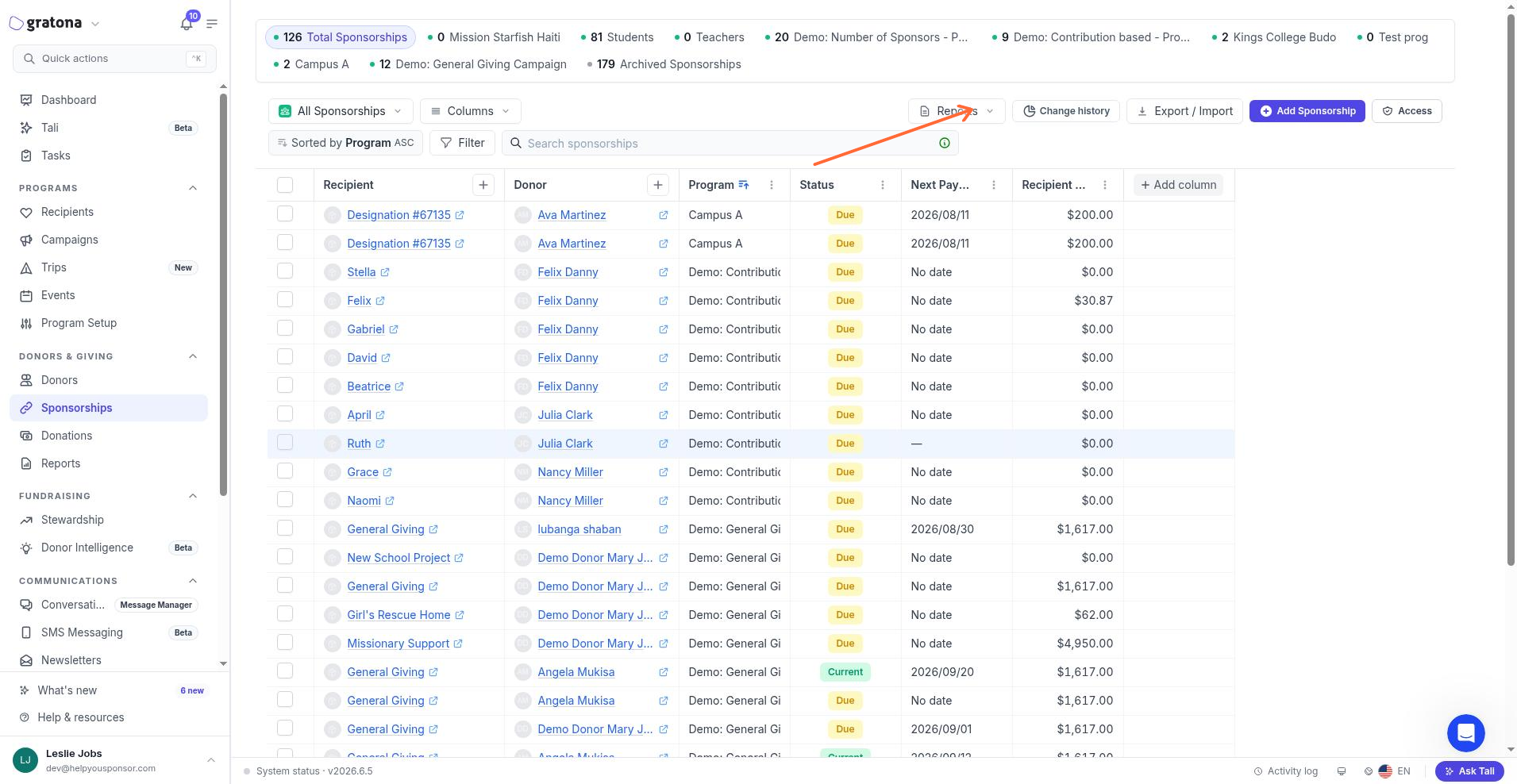
On the recipient side, history shows under Program & sponsorship history, which covers recipient exits, restorations, and related sponsorship changes. On the sponsorships list, the Change history action opens the Sponsorship changes dialog for a relationship.
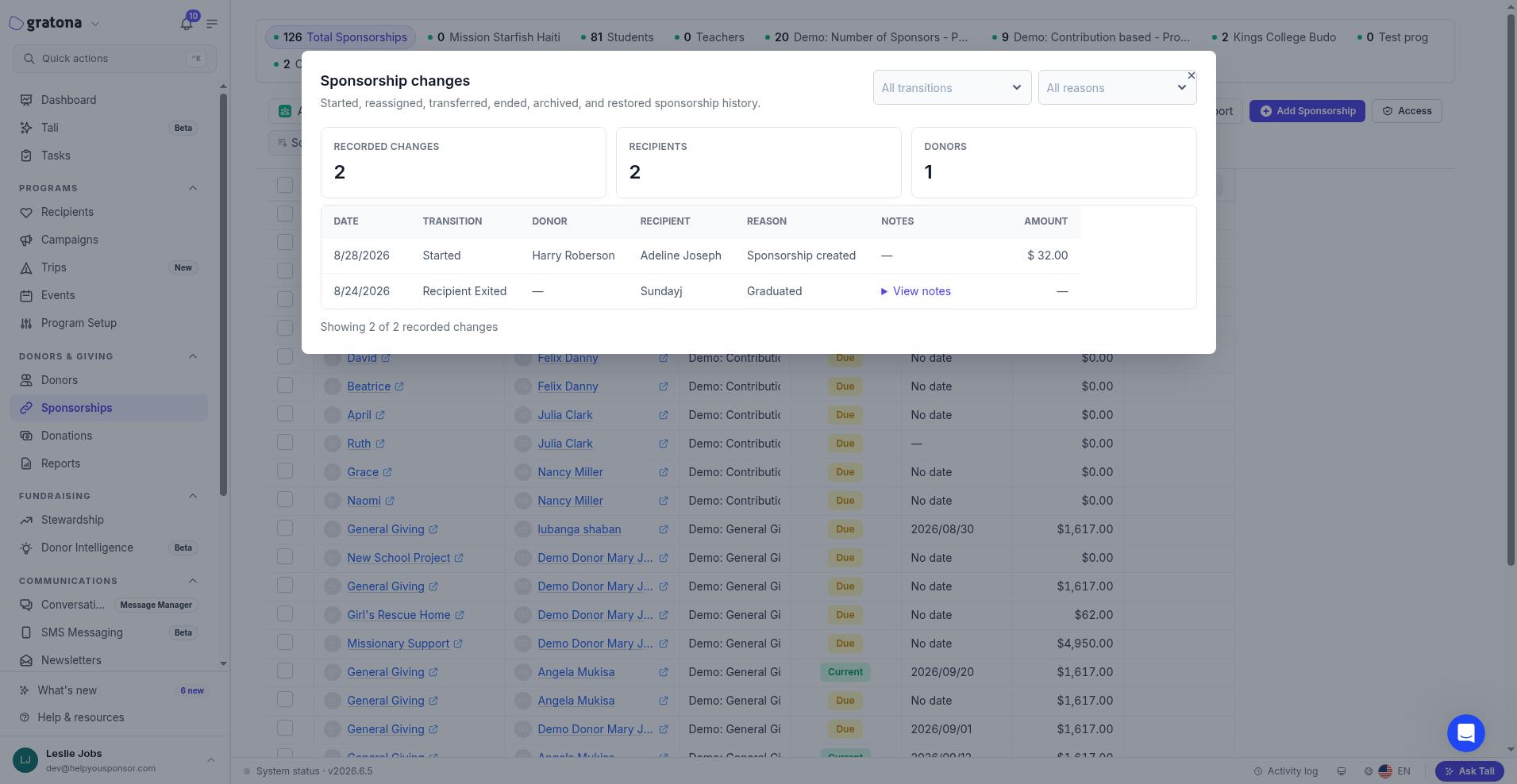
The Sponsorship changes dialog lists each recorded change with its date, transition, donor, recipient, reason, notes, and amount, and summarizes the recorded changes, recipients, and donors.
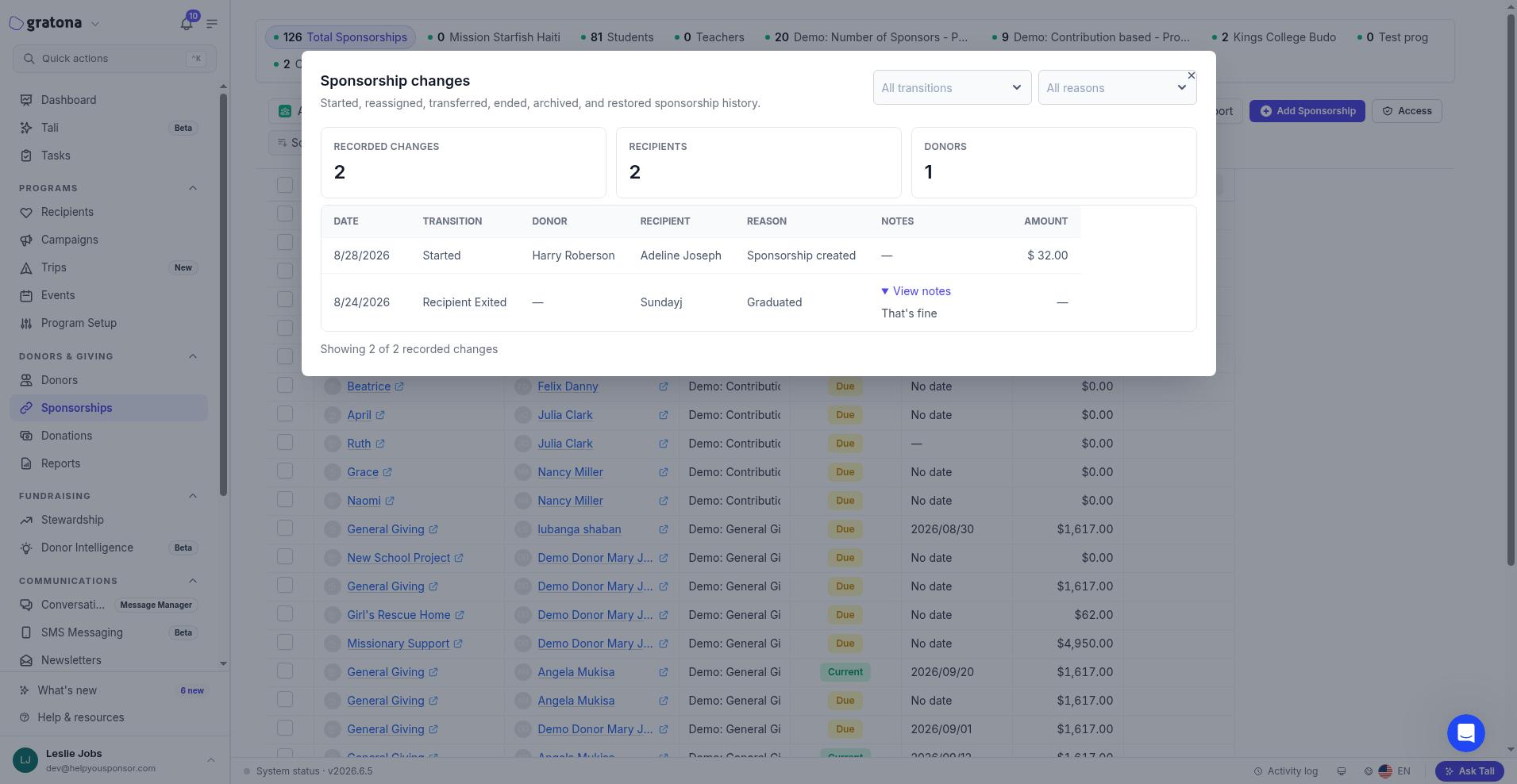
Select View notes on a row to expand the staff notes recorded with a change.
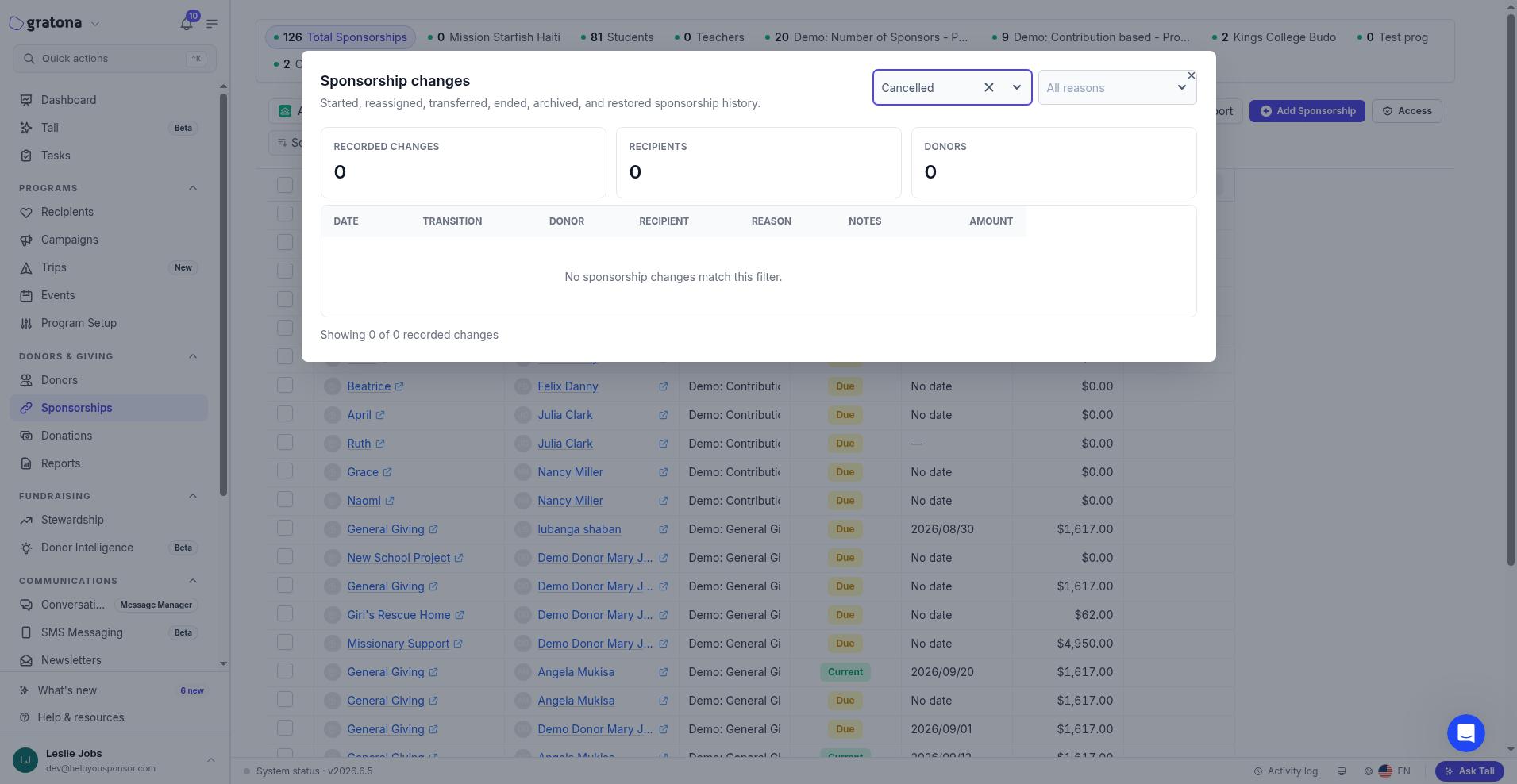
Until a relationship has any changes, or when a filter matches nothing, the dialog shows No sponsorship changes match this filter. Reassignments, endings, archives, and restorations appear in the list once they happen.
Report and follow up on changes
The Sponsorship & recipient changes reports let you filter and report on changes by reason, transition type, donor, recipient, program, amount, and date, and include ready-to-use templates such as Graduated recipients, Recipient exits, Sponsorship reassignments, and Ended sponsorships.
Sponsorship changes are also available as triggers in Journeys, so a reassignment, cancellation, new sponsorship, or restoration can start a follow-up workflow. See Build a Journey for sponsorship changes to build one.
Related guides
Reassign a sponsorship — move an existing sponsor to another child
Record a reason when a recipient leaves or a sponsorship ends — record an outcome and staff notes
Customize sponsorship change reasons — manage the reason lists your team uses
Add Sponsorship — create a new donor–recipient relationship
Sponsorships Table — search, filter, and maintain sponsorships
Sponsorship & recipient changes reports — report and filter on lifecycle changes