
Trip Settings
Updated 2 months ago
.
Trip Settings
Trip Settings controls the trip's program binding. This is where you connect the trip to the donor form, Trips Program Settings, and auto email set that power participant signup, public fundraising behavior, and trip automations.
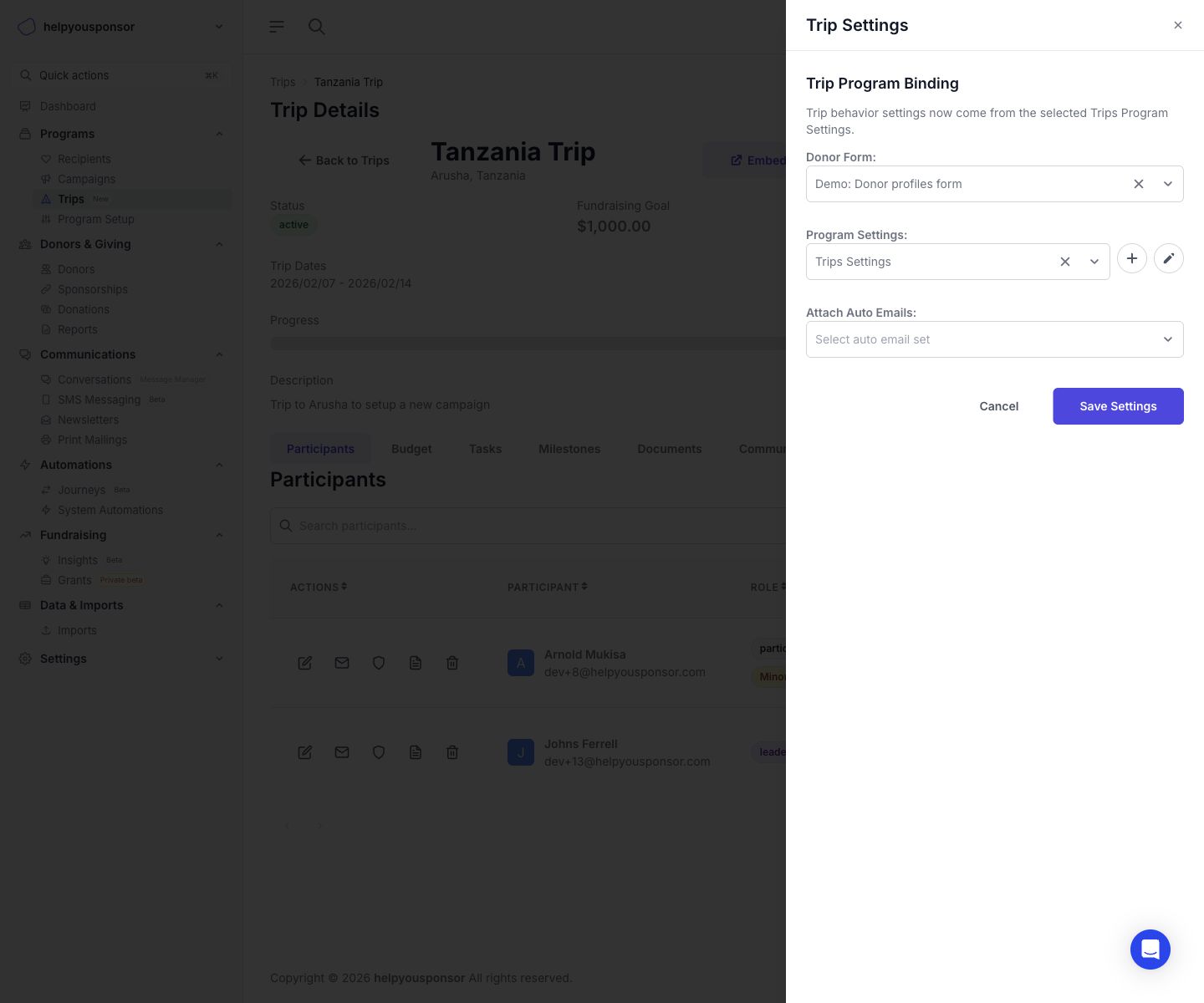
Screenshot placeholder: Trip Settings drawer showing Donor Form, Program Settings, and Attach Auto Emails
Open Trip Settings
From Trip Details, click Settings.
What you can configure
Donor Form
Choose the donor form that HYS should use when the trip needs to create or update donor records during trip workflows.
This donor form is especially important for:
adding donors from the Participants drawer
public Request to Join submissions
keeping trip-related donor data aligned with the correct form
Program Settings
Choose the Trips Program Settings record that should control trip behavior.
This selected Trips Program Settings record controls features such as:
whether Request to Join is available
recurring donation availability
public donation amount visibility
public participant goal visibility
donation behavior for completed trips
budget-to-goal syncing
reminder timing and other trip runtime defaults
Use the plus button to create a new Trips Program Settings record without leaving the drawer. Use the pencil button to edit the currently selected Program Settings record.
Attach Auto Emails
Choose the auto email set that should be attached to the trip's fundraising program binding.
Use this when you want the trip to inherit the email automation set tied to your Trips workflow.
Important behavior change
The current Trip Settings drawer focuses on binding the trip to the right records. It does not directly expose all trip behavior toggles in the drawer itself.
Trip behavior settings now come from the selected Trips Program Settings. If you need to change public page behavior, Request to Join availability, or budget-sync behavior, update the selected Program Settings record instead of looking for a separate toggle in the Trip Settings drawer.
Save settings
Click Save Settings to apply the updated binding.
After saving:
the trip uses the selected donor form
the trip uses the selected Trips Program Settings
the attached auto email set is mirrored to the trip's program binding