
Attendance and enrollment overview
Updated 4 weeks ago
Attendance and enrollment (called Participation in general programs) lets you record which students or participants showed up and their enrollment or program status, per program. It lives inside a specific recipient program, not as a standalone area.
Open it from Programs > Recipients, choose the program you want to work on, then open the Attendance & enrollment tab. General programs show the same workspace as the Participation tab. The tab appears only when the feature is enabled for your organization, your role has a participation permission, and the program is a recipient program (not a campaign or peer-to-peer program).
What you can do
Configure periods, schools or locations, classes or groups, evidence sources, profile-readiness rules, and follow-up settings.
Record checks — mark presence and enrollment or program status for a roster, then submit the check.
Import attendance and enrollment from CSV or XLSX files.
Review recipient history, evidence, placements, and follow-up exceptions.
Report on verification coverage, unresolved enrollment, incomplete profiles, and transitions.
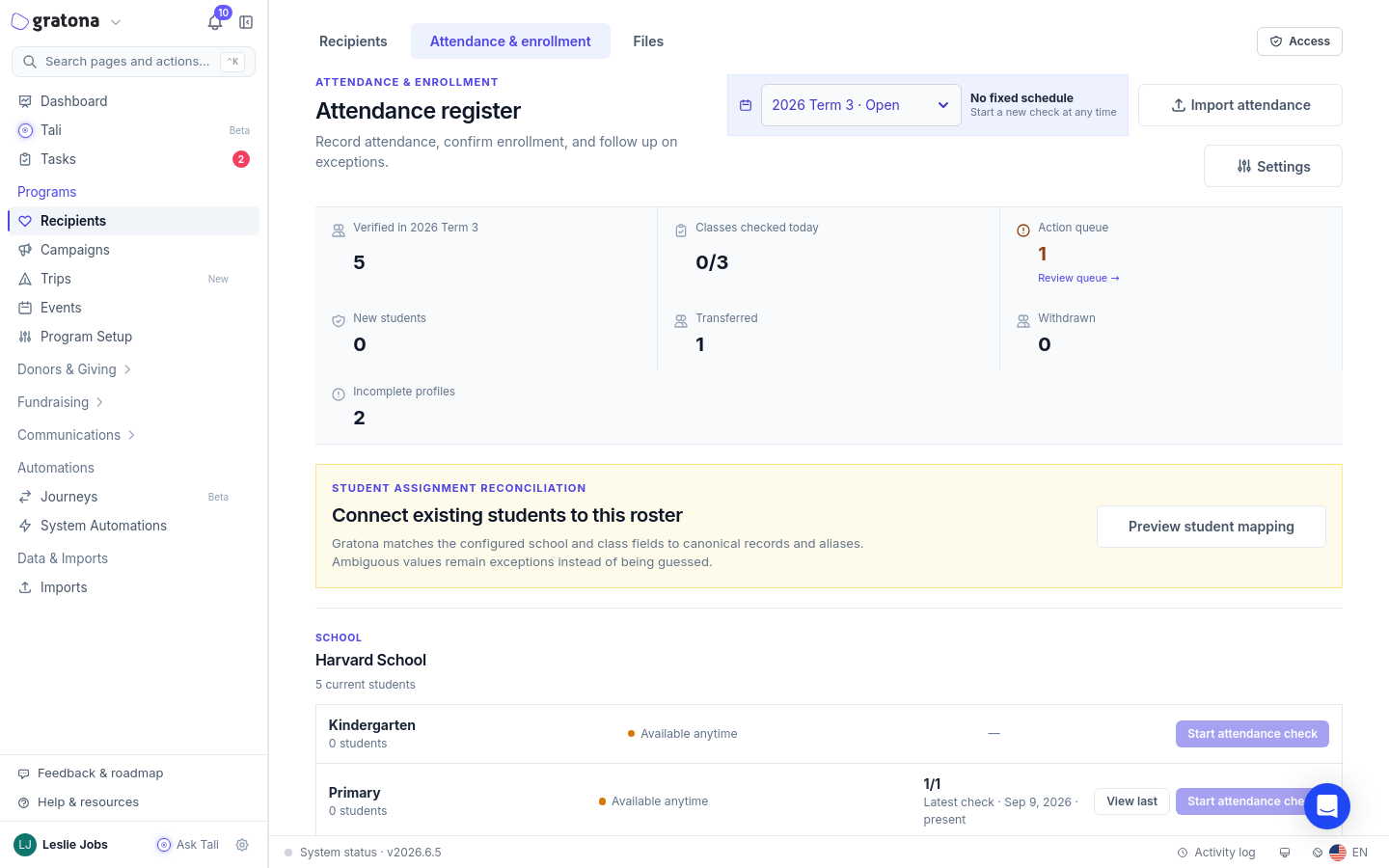
The overview toolbar holds Import attendance and Settings (both shown only when you can configure), and an Action queue ledger that shows the unresolved count and Review queue →. Each class or group shows Start attendance check (or Start participation check) when a check is due, Continue draft or View draft when a draft exists, and View check or View last after submission.
Before you can use it
The workspace must be configured before you can record or import. When it is not, the tab shows the setup form if you can configure, or the message Setup is still needed — A program manager needs to add a period, schools, and classes before attendance checks can begin (or locations, and groups before participation checks can begin for general programs) — if you cannot. Only a program manager with the configure permission can set it up.
School versus general terminology
Gratona switches labels based on the program's terminology. School-oriented programs use Attendance & enrollment, Attendance register, Schools & classes, and students. General programs use Participation, Participation checks, Locations & groups, and participants. The workflow is the same; only the labels change.
Related guides
Recipients Table — select a program and review its recipients.
Add Recipient — create a recipient record in a program.
Permissions and Access Control — participation permissions and access scopes.