
Edit Entity
Updated last week
For the complete documentation index, see llms.txt. This page is also available as Markdown.
Edit Entity
Use Edit Entity to update recipient form fields in the selected program. It does not archive the recipient or change the child associated with an existing sponsorship. For those changes, see recipient archive and sponsorship reassignment.
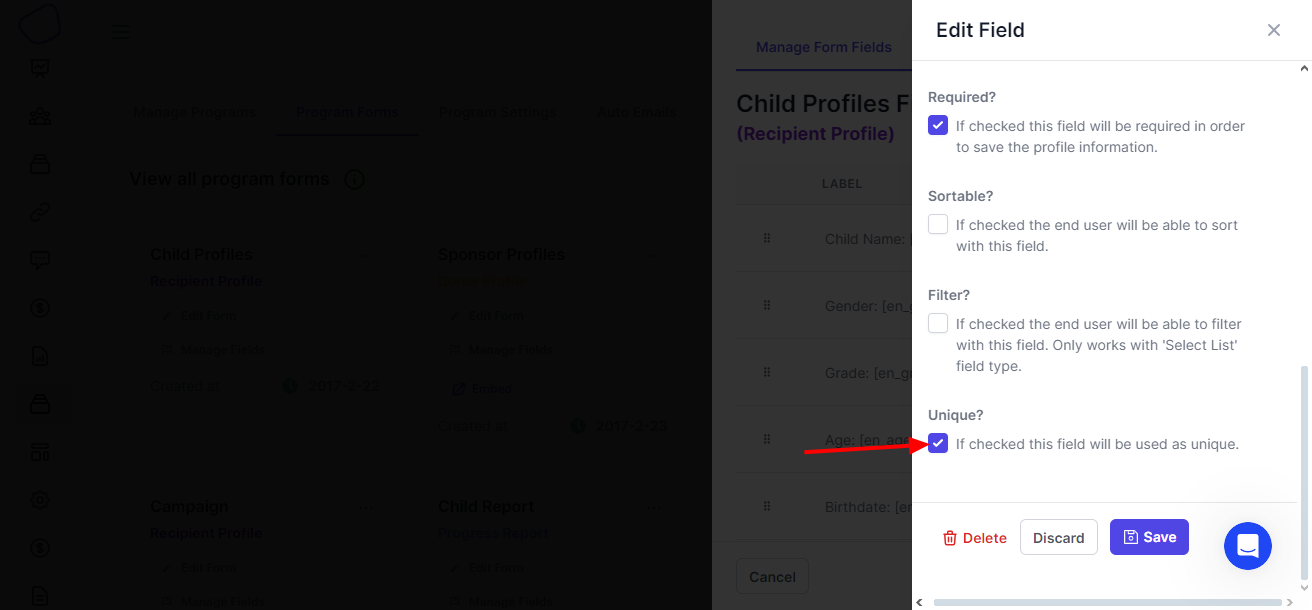
You need the recipient's Entity Id. If an earlier trigger or action already provides it, skip the lookup. Otherwise, open the recipient form fields in Gratona, choose a field with unique values, such as Student ID, and enable its unique attribute.
In Zapier, choose the action that retrieves a recipient by its unique field.
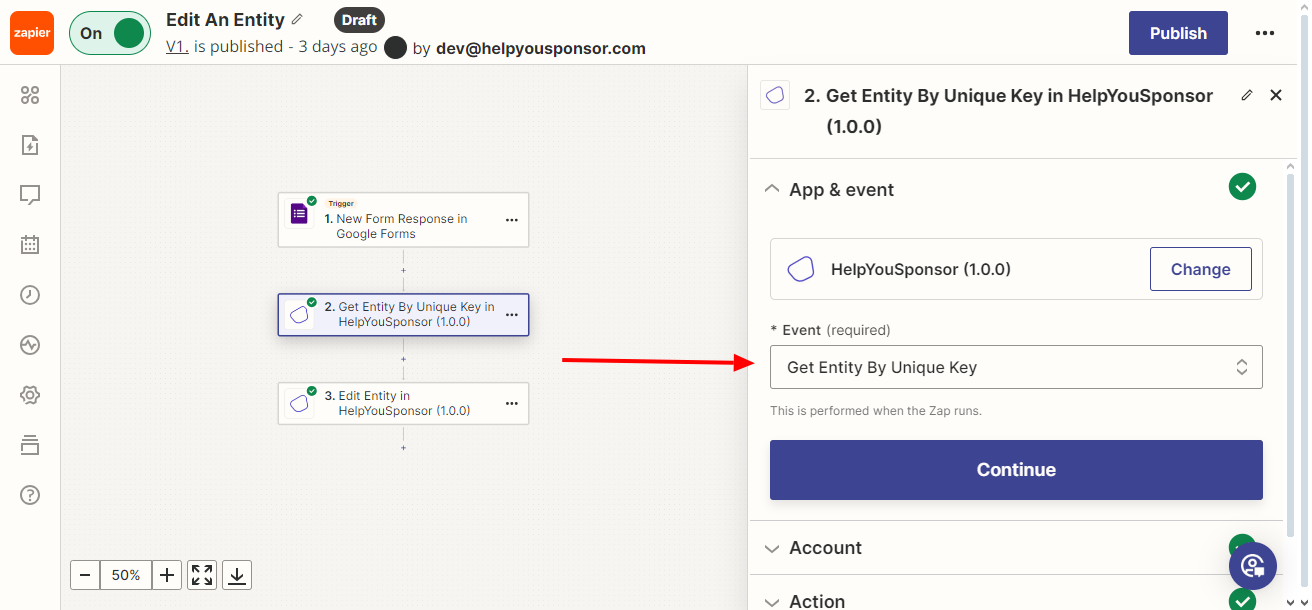
Select or connect your Gratona account.
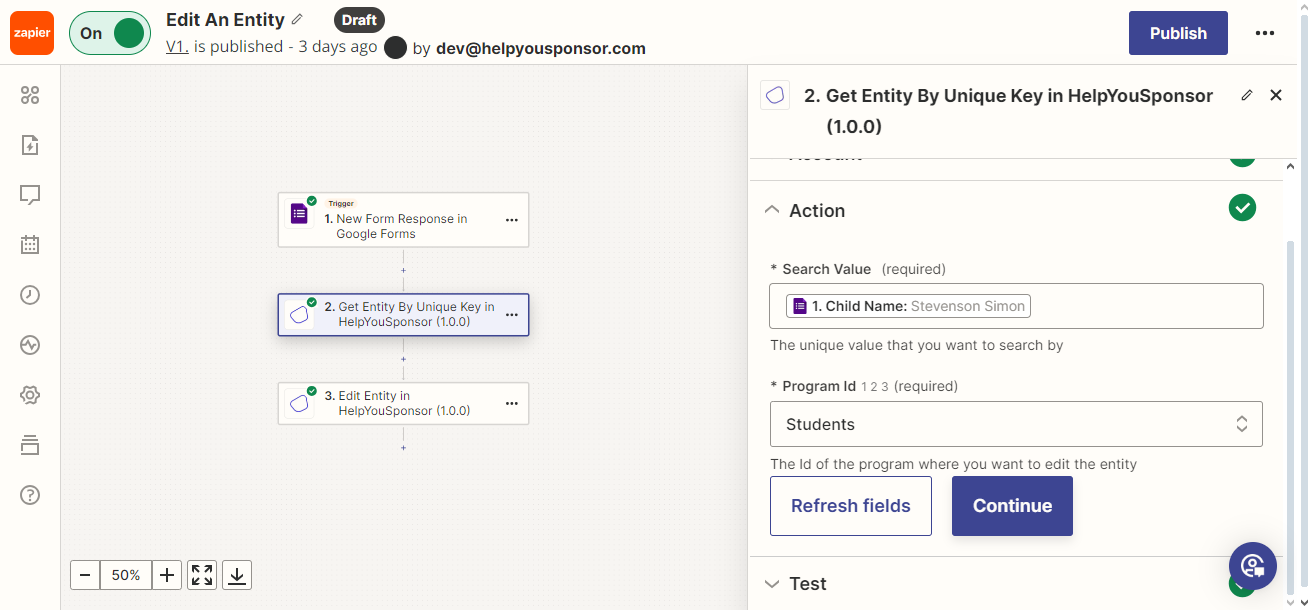
Set Search Value to the value from your unique field, such as the student's ID. Select the Program Id for the program containing that recipient. The selected program must use the form where you configured the unique field.
Select Continue and test the lookup. Check that the returned recipient and program match the record you intend to update.
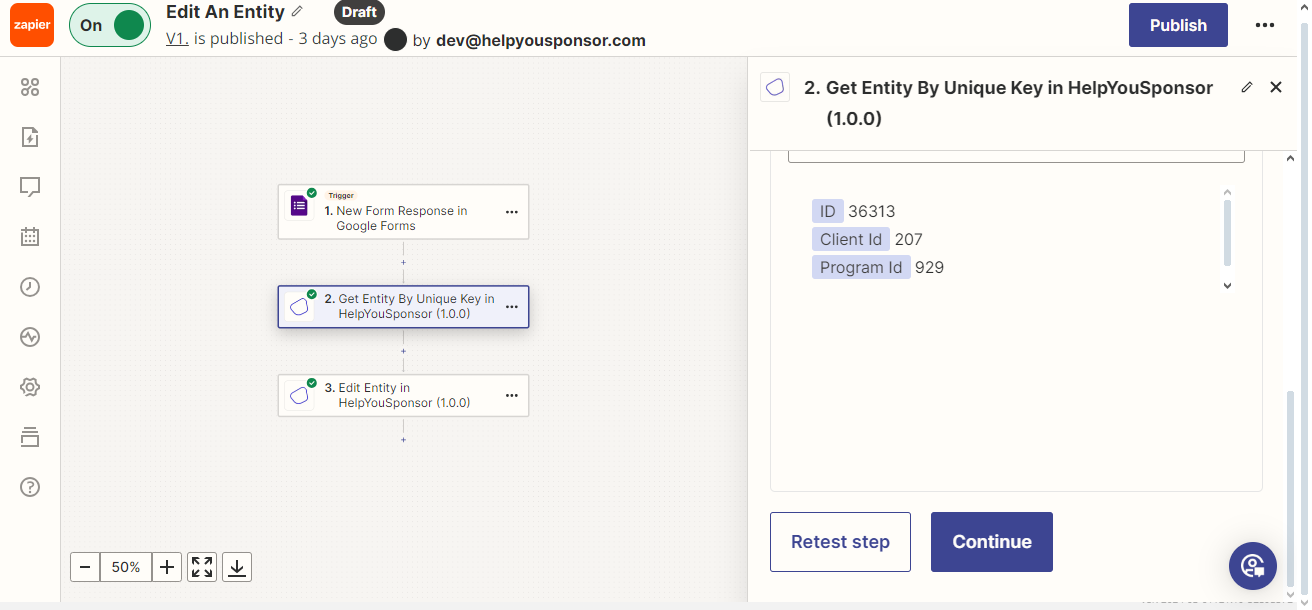
Use the returned recipient ID and program ID in the next action.
Edit Entity
Choose Edit Entity from the Gratona actions in Zapier.
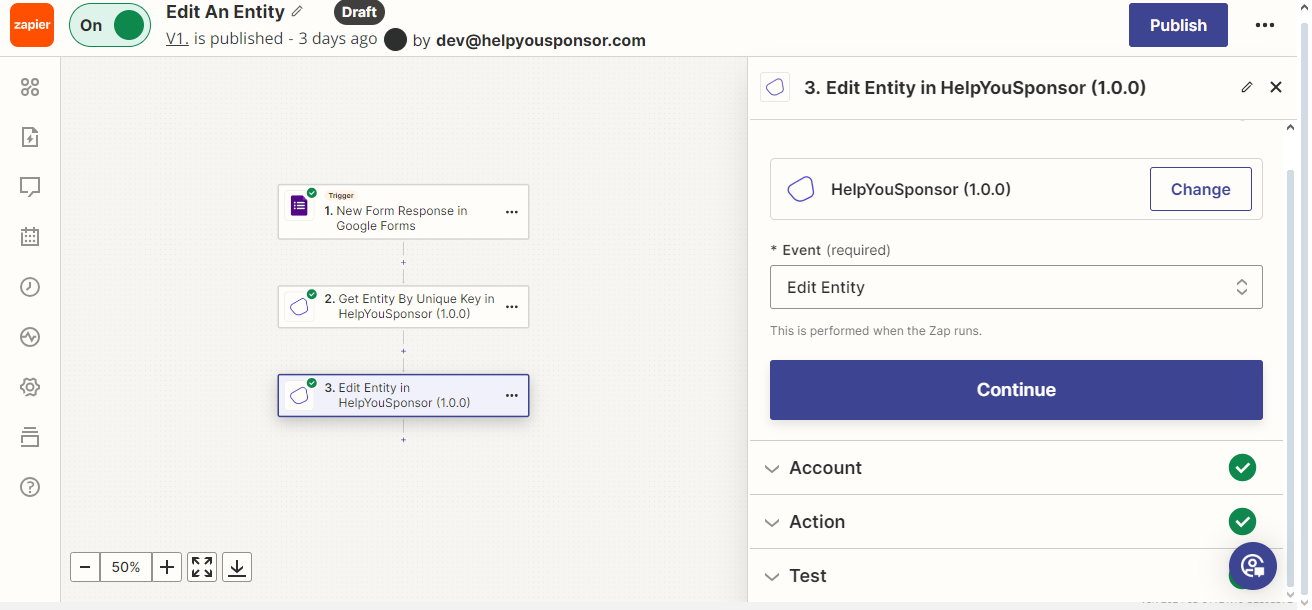
Select or connect your Gratona account, then open the Action step.
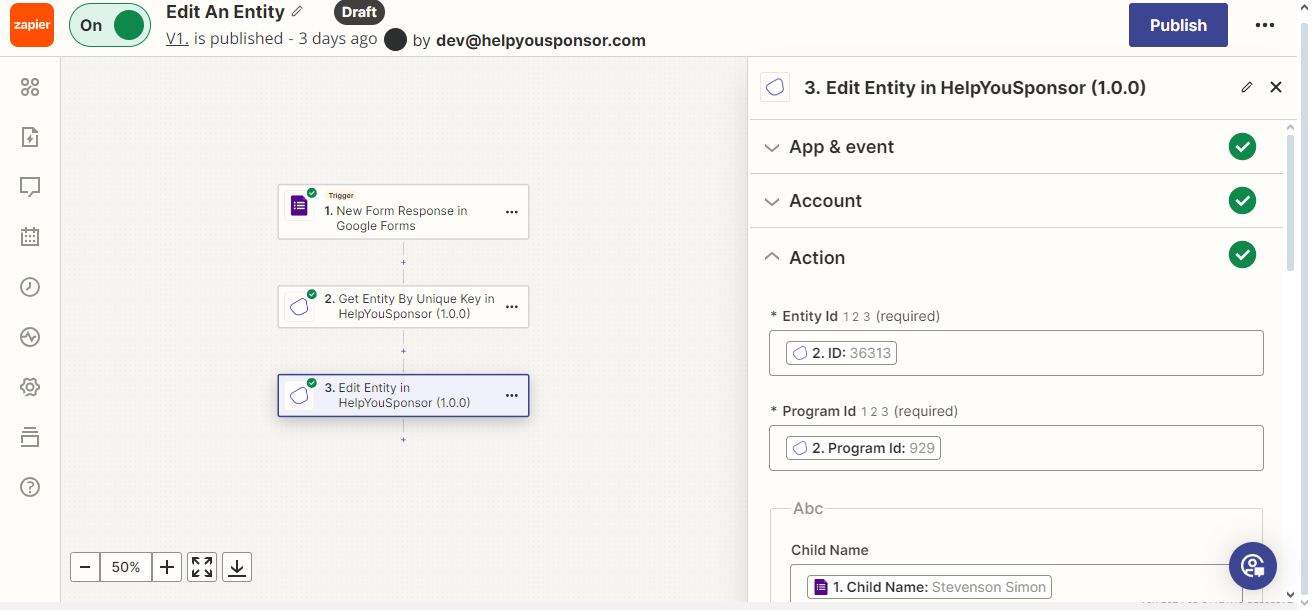
Map Entity Id and Program Id from the lookup or earlier step.
Select Refresh fields to load the program's form fields. Map the fields you want to update, then select Continue.
Test the action with a non-critical recipient record and review the result before publishing the Zap.
Open the recipient in Gratona and confirm that the intended fields changed.