Symptom: A report that includes organization-related columns shows blank or unexpected text — such as "Not Found" — instead of the organization name, even though organization details were entered in the donor record.
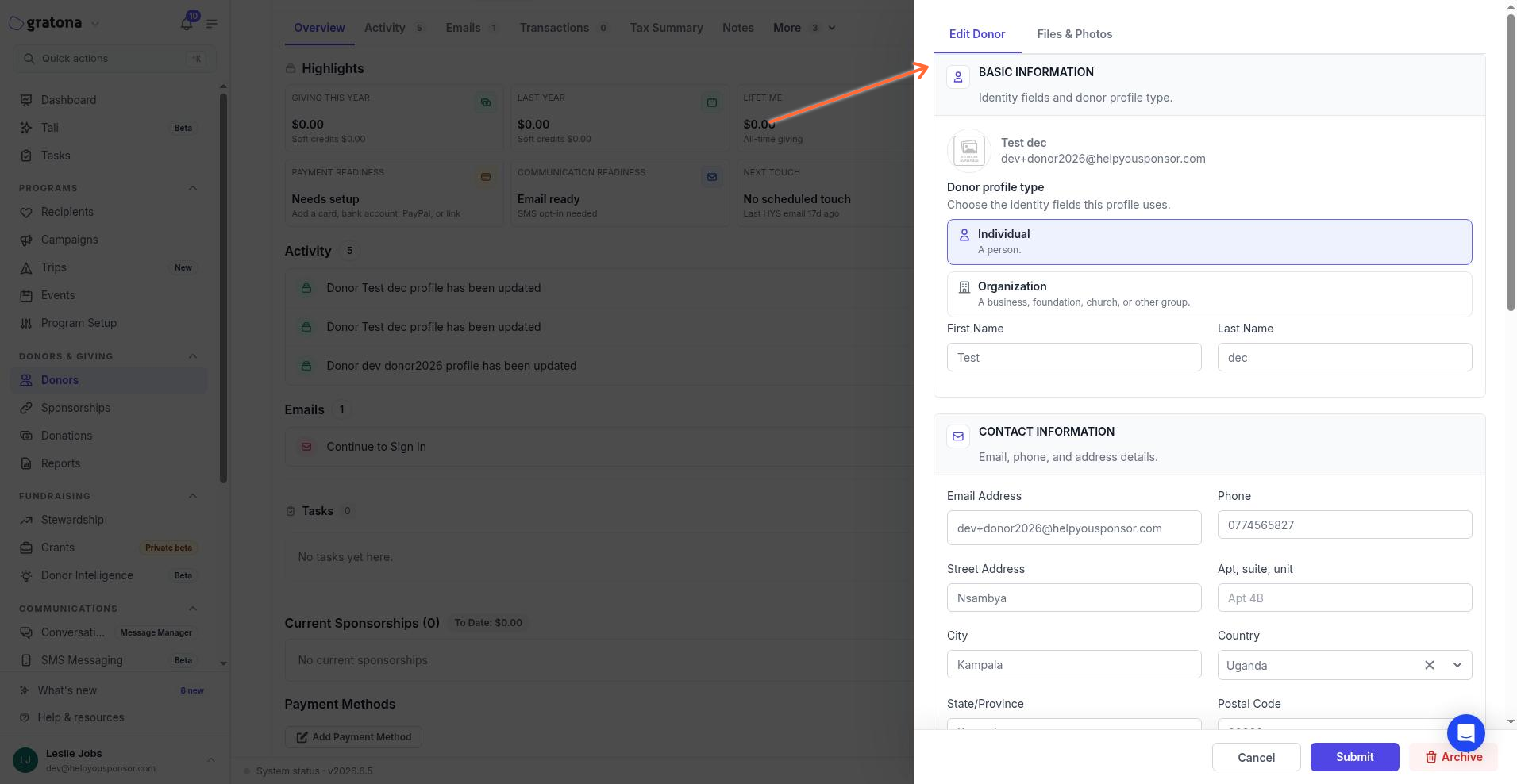
Cause: Each donor record has a type: Individual or Organization. The type controls which identity fields are active. For Individual-type donors, Gratona uses first name and last name; the organization name field is not active — even if organization details were entered in the record. As a result, reports cannot display the expected organization data for that donor.
Fix: Change the donor's type to Organization:
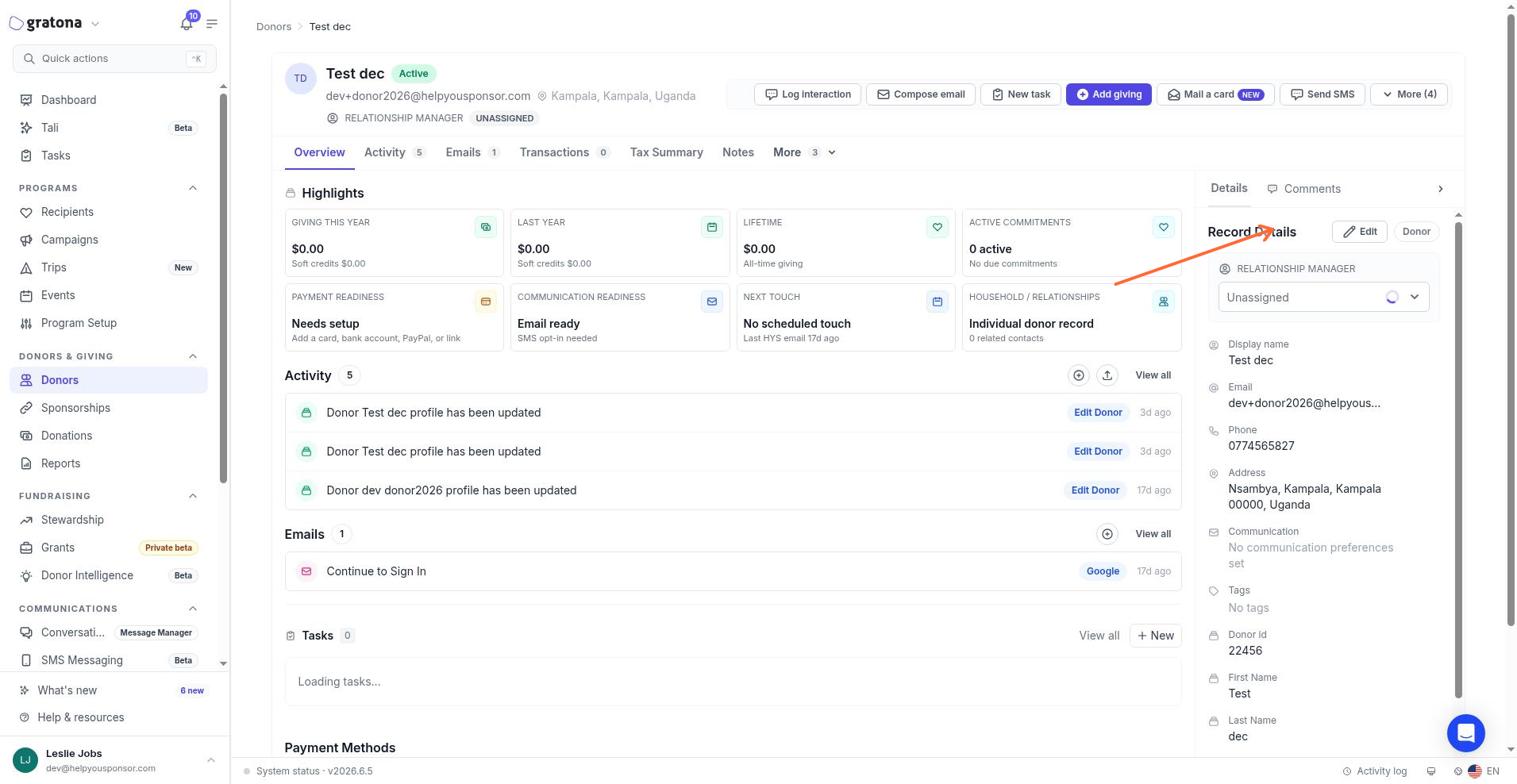
Open the donor's profile.
Select Edit to open the donor edit drawer.
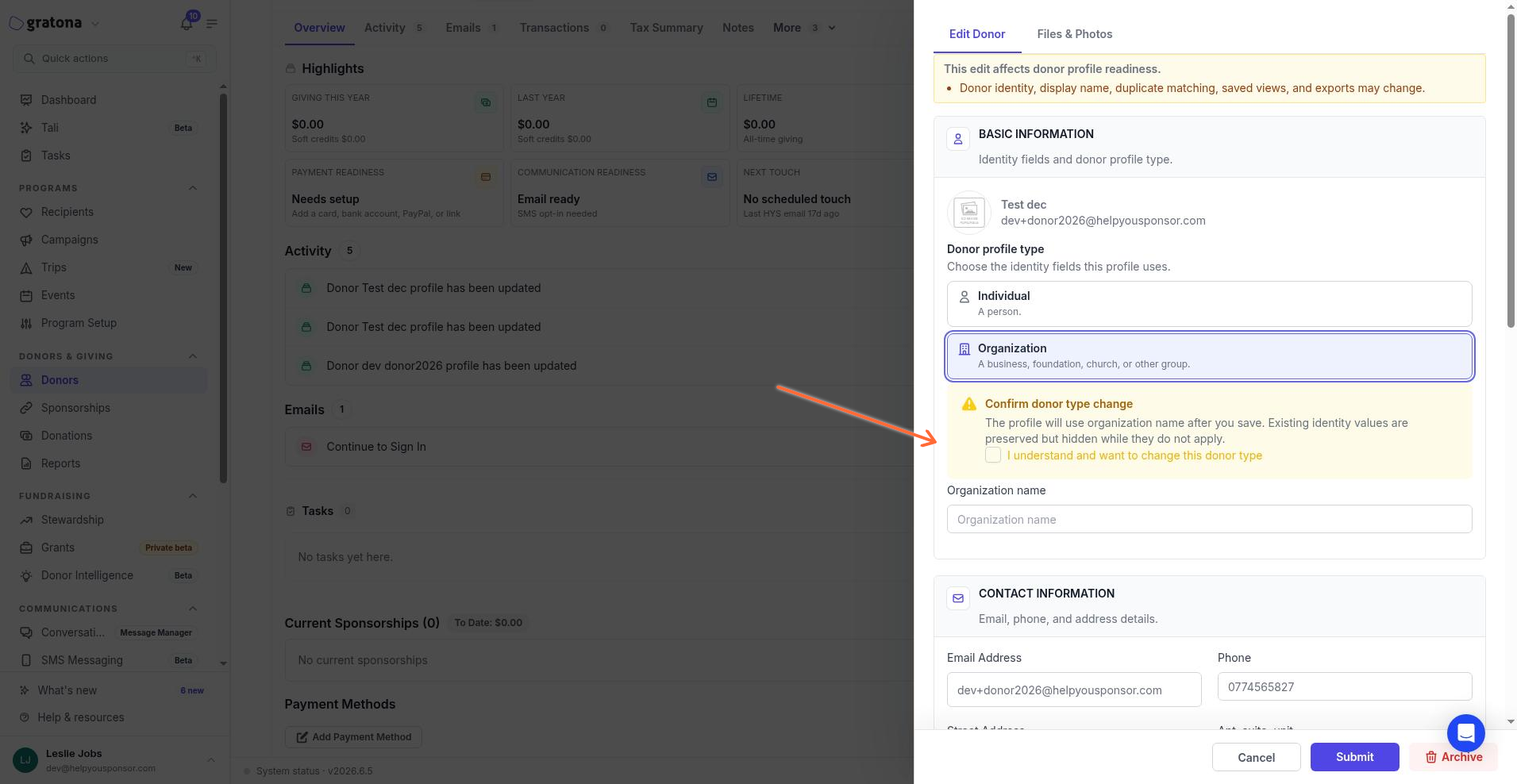
Under Basic information, change Donor profile type from Individual to Organization.
In the Confirm donor type change dialog, check I understand and want to change this donor type.
Confirm the change.
After confirming, the organization name field becomes active. Existing identity values are kept, but only fields that apply to the selected type will be used going forward. Re-run the report to see the organization data.